
Getting Started
Tutorials
Workflows
Conceptual Model
The Safety Audit module structures health and safety monitoring through a hierarchical relationship between Safety Areas and individual Safety Items:- Safety Areas: High-level operational domains (such as Fire Safety, First Aid, Asbestos, Contractor Management, Electrical Safety, or Science & Laboratories). Each area is assigned a primary
Safety Ownerwho has overall accountability for that domain. - Safety Items: Specific statutory checks, risk assessments, or maintenance actions contained within an area (e.g. Annual Fire Extinguisher Servicing, PAT Testing of Portable Appliances, COSHH Inventory Review). While inheriting the area’s owner by default, individual items can be delegated to specialised staff or nominated governors.
Visual Status Indicators
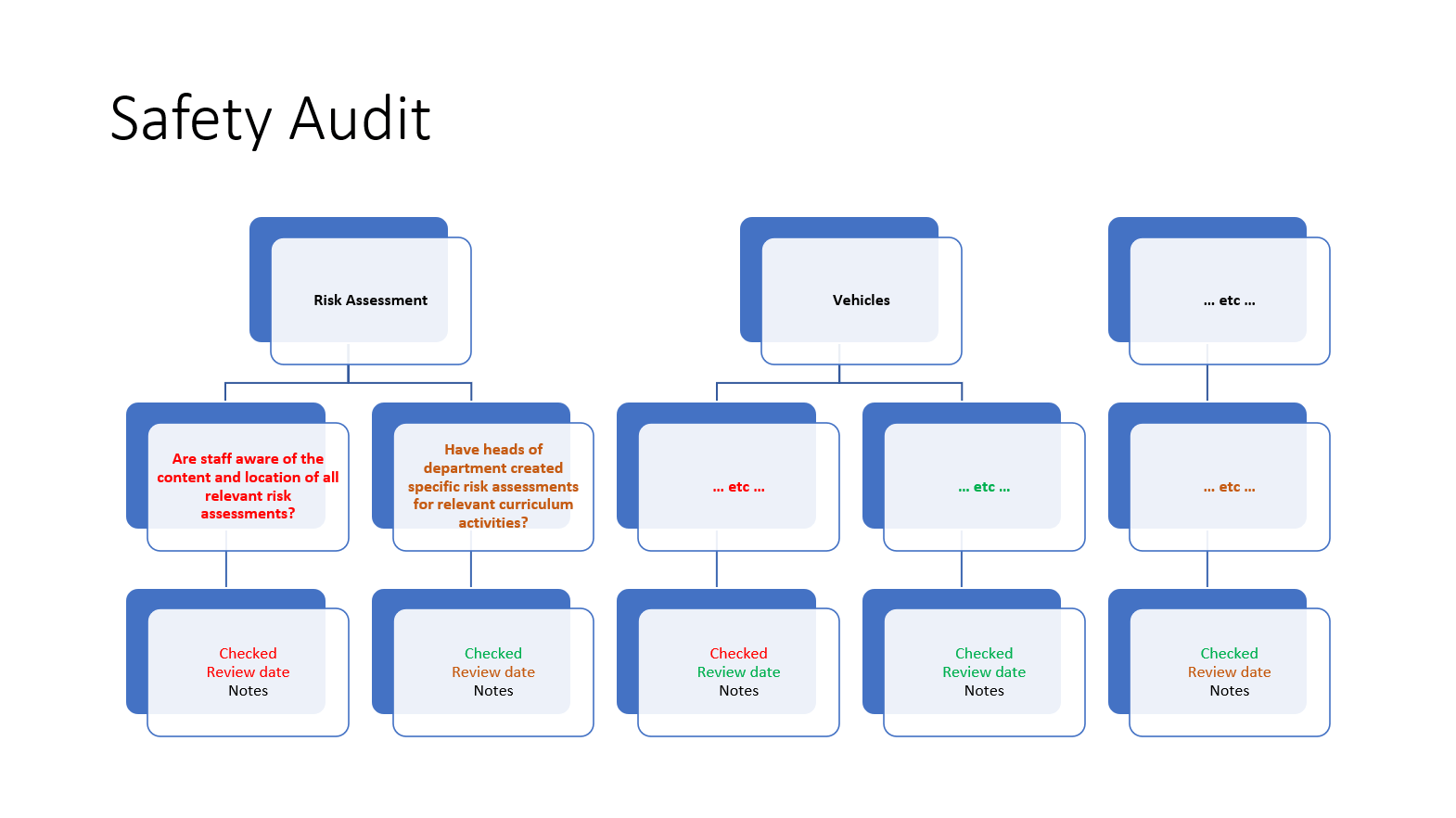
Every area and item features real-time, colour-coded status bars:- Green (Compliant / Complete): The safety check has been reviewed, confirmed as OK, and has a future review date more than four weeks ahead.
- Amber (Due for Review): The safety item is due for re-assessment within the next four weeks.
- Red (Overdue / Incomplete): The item has never been confirmed, is marked Not OK, or has passed its scheduled review date without re-confirmation.
Roles & Permissions Matrix
The module provides role-based access control to ensure appropriate segregation of duties, delegation to departmental leads, and read-only transparency for governors and auditors.- Administrator
- Safety Manager
- Safety Owner
- Safety Viewer
System Setup & Global Governance
- Enable or disable the Safety Audit module across the school tenant.
- Assign and revoke the
Safety Managerrole for senior staff. - Automatically receive system alerts if the module is enabled without an active manager assigned.
- Full access to view, update, manage, or delete any safety area or item.
Operational Screen Tour
1. Dashboard Summary Widget
Users with Safety module permissions see a dedicated summary widget on their personal dashboard. The widget displays the overall school audit completion percentage alongside an alert highlighting items personally owned by the logged-in user.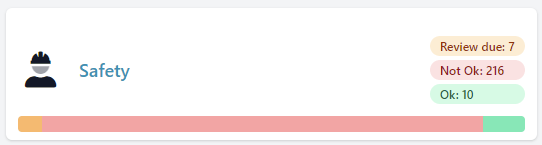
2. Main Audit Overview (/safety/audit)
The main audit hub presents a complete list of all active Safety Areas:
- Overall Progress Bar: Real-time summary across all active items in the school.
- Area Status Cards: Visual completion bars for each category with direct owner mailto links.
- Search & Filters: Search areas by keyword or filter by specific owner.
- Bulk Actions & PDF Export: Instantly export the full audit or selected areas to PDF.
- Direct Navigation: Access the flat Safety Items list or the Manage console (for managers).

3. Safety Area Detail (/safety/audit/{area})
Clicking any area opens its dedicated management view:
- Item Evaluation: Expand individual safety items to inspect regulatory requirements.
- Evidence Notes: Add or update detailed operational commentary explaining how the school meets the standard.
- Status Toggle: Confirm requirements by checking the OK box or uncheck to flag remediation needs.
- Audit History: Access the complete, time-stamped history of all updates and reviews via the top menu.
4. Review Safety Items (/safety/audit/items)
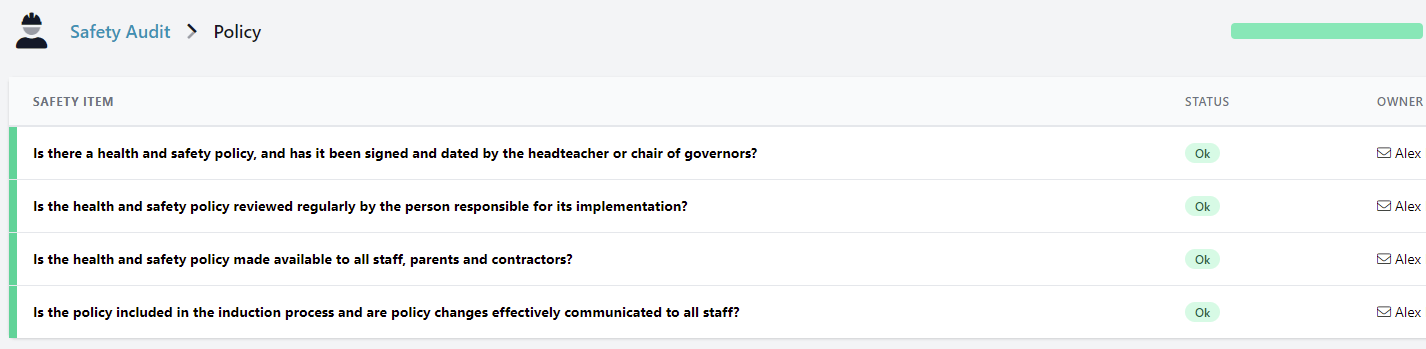
A searchable, filterable master view of all safety checks across the entire school:
- Filter items by owner, completion status (All, OK, Not OK, Overdue, Due Soon), or search keywords.
- Update items and record notes directly from the master list without navigating into individual areas.
5. Area & Item Administration (/admin/safety/areas)
Accessible to Safety Managers and Administrators:
- Create Custom Areas & Items: Add bespoke safety checks unique to your school’s facilities.
- Drag-and-Drop Reordering: Customise the presentation order of areas and items.
- Enable / Disable / Archive: Toggle off irrelevant items or archive retired facilities without losing historical audit logs.
- MAT Synchronisation: Synchronise standardised trust areas with central templates.
Review Scheduling & Anti-Creep Logic
Regular compliance reviews are vital for health and safety integrity. The module automates review cycles with smart date calculation:- Standard Confirmation: When a safety item is marked as OK, its next review date is automatically set to one year from the date of confirmation.
- Anti-Creep Protection: If an item is reviewed early (within 4 weeks prior to its scheduled review date), the new review date is set to one year from the existing due date rather than the review date. This prevents annual review dates from gradually creeping earlier year after year.
- Custom Review Frequencies: Review dates can be manually set for any date up to 18 months ahead, accommodating termly, half-yearly, or bespoke inspection intervals.
- Re-Confirming Due Items: To re-confirm an item that is due or overdue, uncheck the OK box and check it again to record the new confirmation timestamp and advance the review date.
Automated Notification Schedule
The Safety module maintains proactive oversight through automated email notifications:Multi-Academy Trust (MAT) & Group Coordination
For Multi-Academy Trusts, federations, and Local Authorities operating across multiple schools:- Centrally Synchronised Templates: Central trust leaders can define standardised safety audits. Synchronised areas display a lock indicator at the school level to preserve trust-wide consistency.
- Automated Daily Sync: Updates made to central templates automatically propagate to all connected school audits once daily.
- Local Ownership & Reminders: Even in synchronised areas, school-level staff are assigned as local
Safety Owners. They receive automated weekly reminders and record school-specific evidence comments while maintaining central policy standards.